Free Chrome extension

Your tabs deserve better than chaos

TabVault saves your open tabs as sessions, helps you find any tab instantly, and keeps your browser from becoming a disaster.

Add to Chrome — it's free See what it does ↓

No account required  ·  Works offline  ·  Your data stays in your browser

We all have the same
tab problem

You open tabs with good intentions. Then life happens. Three weeks later you have 200 tabs and no idea what most of them are.

"I had that article open but closed it by accident."
TabVault snapshots your sessions automatically, so you can always get back to exactly where you were.
"Which window has the thing I was working on?"
Search across every open tab — by title, URL, tag, or domain — and jump straight to it.
"I keep the same tabs open just in case I need them."
Save them as a session. Close them. Open them again later in one click, exactly as you left them.
"My browser crashes and I lose everything."
TabVault keeps a rolling local backup and can sync sessions to Google Drive if you go Pro.

See TabVault
in action

A quick look at the extension surfaces you will use every day: open tabs, saved sessions, search, and cleanup insights.
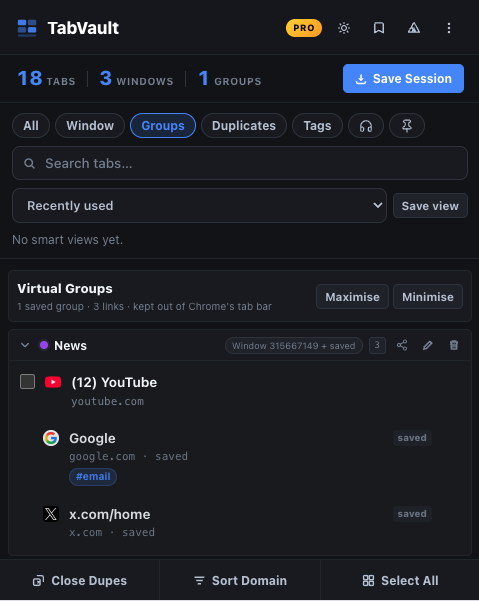
View all open tabs across windows
Manage open tabs Save sessions, group related work, and jump back to the exact tab you need. View Tab stats: total tabs, windows, groups Filters All, Current Window, Groups, Duplicates, Tagged, Audible, Pinned Sort tabs by recently used, title, or domain
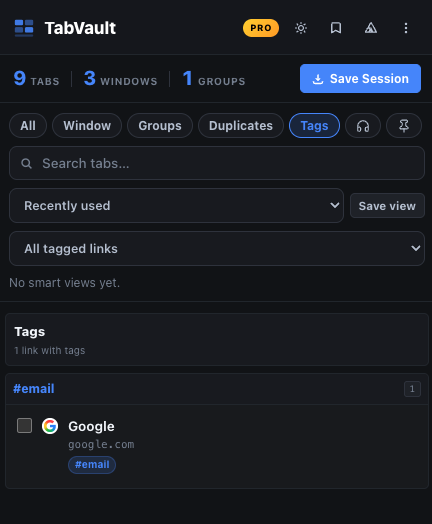
Groups, tags, and saved views
Persistent tab groups Link/tab tagging Tag-based filtering Save and reuse “smart views” (saved searches/filters) for tabs
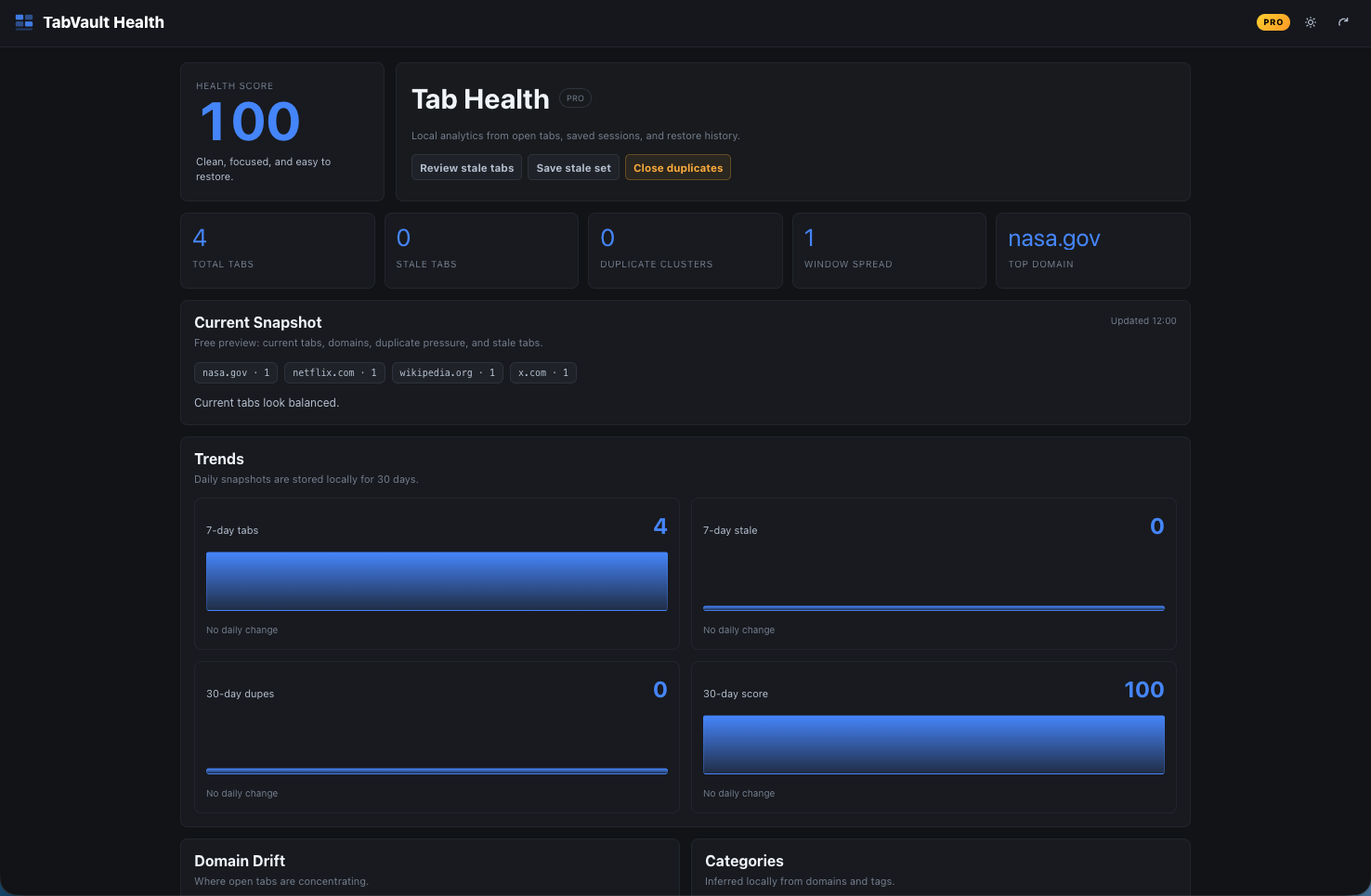
Tab health
Clean up clutter Spot stale tabs, duplicates, and window sprawl before your browser slows down.

Everything you need to
actually manage your tabs

No sign-up, no cloud required. TabVault works completely in your browser.

Save sessions with one click

Hit Save Session and TabVault snapshots every open tab, window, and group. Come back to it tomorrow, next week, or six months from now.

Find any tab instantly

Search by title, domain, or tag. Filter by window, pinned status, audio playing, or duplicates. If it's open, you'll find it in under a second.

Group Tabs

Group related tabs together. Your groups travel with your sessions and stay organized across restores.

Tags for everything

Tag any tab or bookmark with labels like "read-later", "client", or "research". Filter by tag across all your open tabs and saved sessions.

Bookmark management

Browse, search, tag, move, and remove duplicate bookmarks right from the extension. No more navigating buried bookmark folders. PRO

Tab health dashboard

See how cluttered your browser really is. Your health score tracks stale tabs, duplicates, and window sprawl — and tells you what to do about it. PRO

Simple enough that you'll
actually use it

01

Install the extension

One click from the Chrome Web Store. No account, no setup, no permissions you don't expect.

02

Save a session

Click the TabVault icon and hit Save Session. That's it. All your open tabs are captured.

03

Close what you don't need

Stop keeping tabs open "just in case". Save them and close them. Your browser will thank you.

04

Restore when you're ready

Pick a session, choose which tabs to restore, and open them in a new window or the current one.

Free for most people.
Pro for power users.

No subscription. No monthly fees. Pay once, own it forever.

Free
$0
Always free
  • Save and restore sessions locally
  • Search across all open tabs
  • Virtual groups and tags
  • Duplicate detection and closing
  • Import and export sessions
Add to Chrome

Things people ask

All your sessions, groups, and tags are stored in your browser's local storage — on your computer, not our servers. If you upgrade to Pro and connect Google Drive, your sessions are also stored in a folder in your own Drive account. We never see your data.
Free is genuinely useful. You get local session saving, search, virtual groups, tags, and duplicate management. Pro adds Google Drive sync, the full bookmark manager, advanced analytics, and automation rules. Most people start with Free and upgrade when they want Drive sync.
Free sessions are local to each browser. If you upgrade to Pro, Google Drive sync lets you access the same sessions from any computer — you just install the extension, connect Drive, and your sessions are right there.
TabVault needs access to your tabs (to save and search them) and local storage (to remember your sessions). Bookmark access is optional and only requested when you open the Bookmarks panel. Google Drive access uses the most restricted scope available — we can only see files that TabVault itself created.
Yes, $20 is a one-time purchase. You get all future updates included. No subscription, no renewal, no "annual plan" gotcha.

Your tabs have been waiting
for you to get organized

Free to install. Takes about 10 seconds. Your future self will be relieved.

Your tabs have been waiting
for you to get organized

Free to install. Takes about 10 seconds. Your future self will be relieved.